The site: operator as an index check: what it shows and what it misses
The site: operator is the first thing most people try when they want to know whether a page is indexed. It is fast and free, and it often gives a useful hint. But Google's own documentation says the results are not guaranteed to be complete, which means a missing result does not prove a page is missing from the index.
How people use site: to check indexing
The common patterns look like this:
site:example.com
site:example.com/blog/
site:example.com/blog/my-new-post/
The first shows a sample of pages Google returns for the whole domain. The second narrows it to a section. The third is the "is this one URL indexed?" check. If the page appears, you know Google has it. If it does not appear, the answer is less clear than it looks.
What Google says about site: results
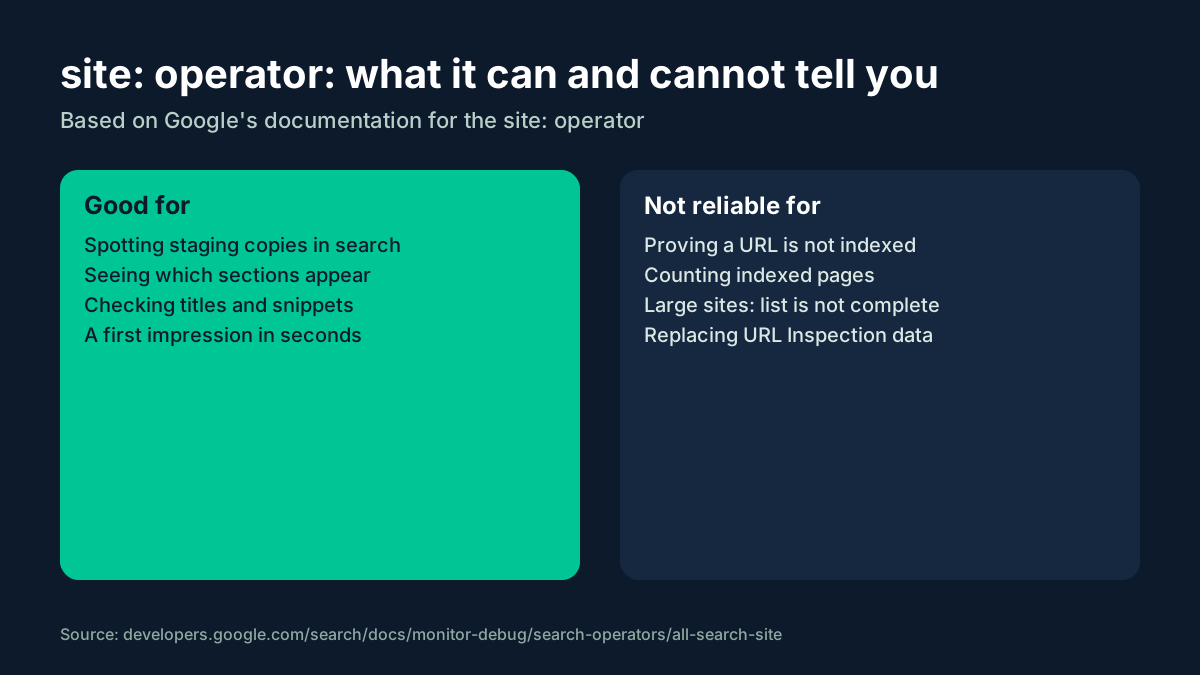
Google's page on the site: operator describes it as a way to show results from a specific domain, URL or URL prefix, and states that the results are not guaranteed to be complete. That one sentence is the reason site: cannot serve as an index report. It tells you what Google chose to show for that query, not the full list of what it has stored.
Where site: is genuinely useful
- Spotting pages that should not be there. Staging hosts, parameter URLs, internal search pages or old sections that still appear in results.
- Seeing how pages are presented. Titles and snippets as Google shows them, which may differ from what you wrote.
- A first look at a new section. Whether anything from a new folder appears at all, a few days after launch.
- Checking a single important URL by hand when you just need a quick yes.
Where it leads you astray
- Proving a page is not indexed. An empty result is a hint, not evidence. Confirm with a proper check.
- Counting indexed pages. The number at the top of the results is an estimate and the list is not complete.
- Checking hundreds of URLs. Manual queries do not scale, and automated scraping of Google results is not a supported way to get this data.
- Replacing Search Console data. For your own site, the Page indexing report and URL Inspection are the official sources.
Many backlink tools used the Custom Search JSON API to run something close to a site: query in an automated way. With that API closed to new customers, people ask whether their tools will keep working; the question is answered in detail in Will the Google Custom Search API shutdown break my index checker?
A better routine for checking indexing
- Own pages, few URLs: the URL Inspection tool in Search Console.
- Own pages, many URLs: the URL Inspection API within its daily quota per property.
- Backlinks and third-party pages: a dedicated index checker, or your own bulk script on top of a checker's API.
- Quick spot checks:
site:, with the result read as a hint.
The overview of index check methods puts these options next to each other and explains how to pick one for each job.
Guides on this site
- Check Google index status without the Custom Search API — the overview and how to choose a method.
- URL Inspection API limits — 2,000 inspections per property per day and the scope rule.
- Vertex AI Search for index checks — what Google's suggested alternative is built for.
- The site: operator as an index check — what it shows and what it misses.
- Bulk index check in Python — a safe script structure with batches and retries.
FAQ
Why does site: show a page one day and not the next?
Because site: results are not guaranteed to be complete, the set of pages shown can vary. Treat changes as a reason to check properly, not as proof that a page dropped out.
Is site: enough to check backlinks?
For one or two links, as a hint. For a list, use a dedicated index checker.
Sources
https://developers.google.com/search/docs/monitor-debug/search-operators/all-search-sitehttps://developers.google.com/custom-search/v1/overview